Does Google Calendar Have a Dark Mode?
Yes. Google Calendar on the web has a dark mode. Turn it on in Appearance, then use soft, light event colors so your events stay easy to read.
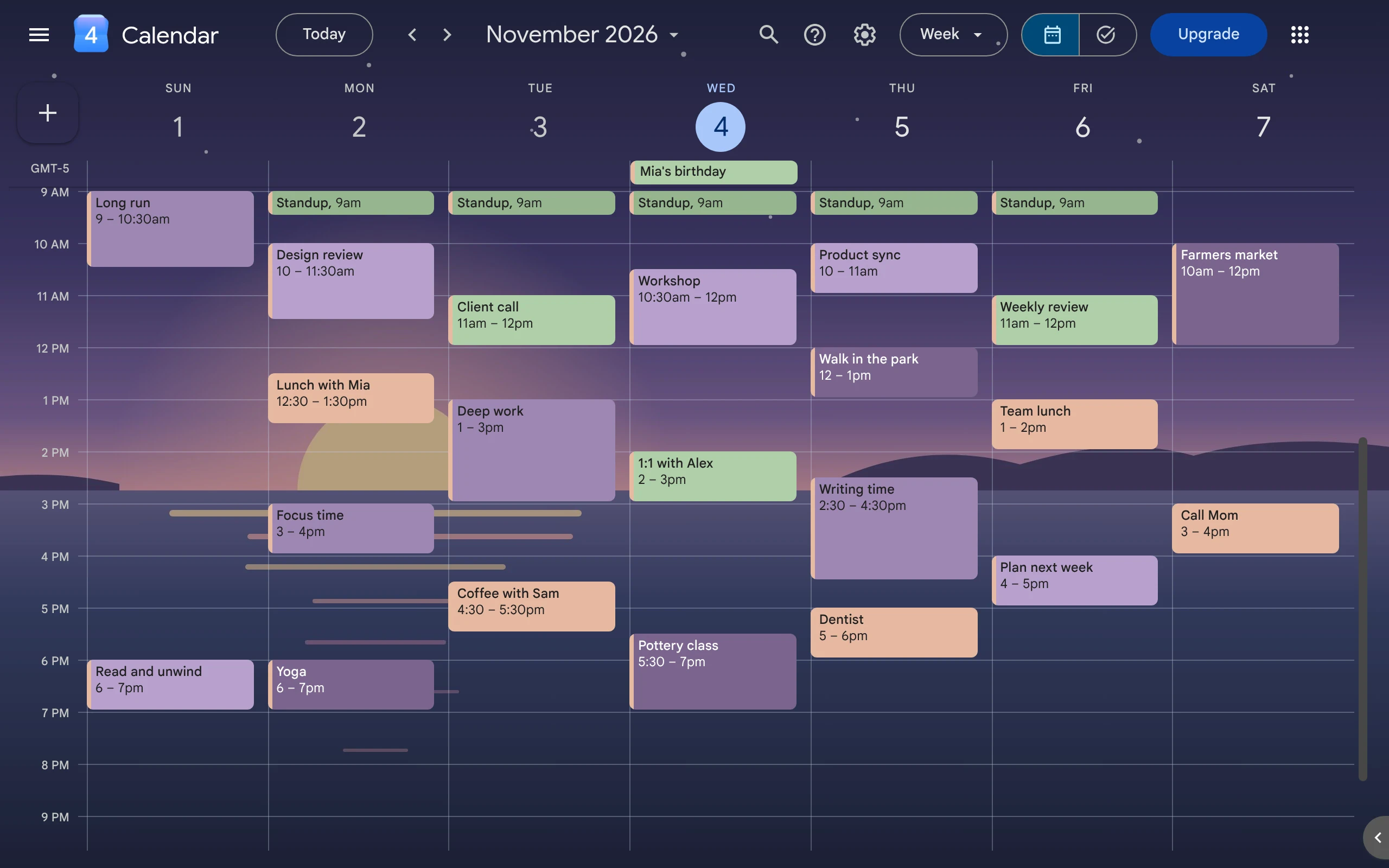
Yes. Google Calendar on a computer has a dark mode. Click the gear at the top right, click Appearance, and pick Dark. You don’t need an extension.
How do I turn on dark mode?
- Open Google Calendar at calendar.google.com.
- Click the gear at the top right.
- Click Appearance.
- Pick one:
- Light: always light.
- Dark: always dark.
- Device default: dark when your computer is dark, light when it is light.
Why do some colors look different in dark mode?
Google makes very dark colors lighter in dark mode. A dark blue like #123456 shows as a grayer, lighter blue. Light colors stay the same.
Your saved color does not change. Switch back to light mode, and it looks the same as before.
Which event colors are easy to read in dark mode?
Pick soft, light colors, like pastels.
- Google picks black or white text for each event by itself. On light colors, it uses dark text, and the text is easy to read.
- Light colors look the same in light and dark mode. Dark colors don’t.
- Use colors that are easy to tell apart. Five blues are hard to tell apart.
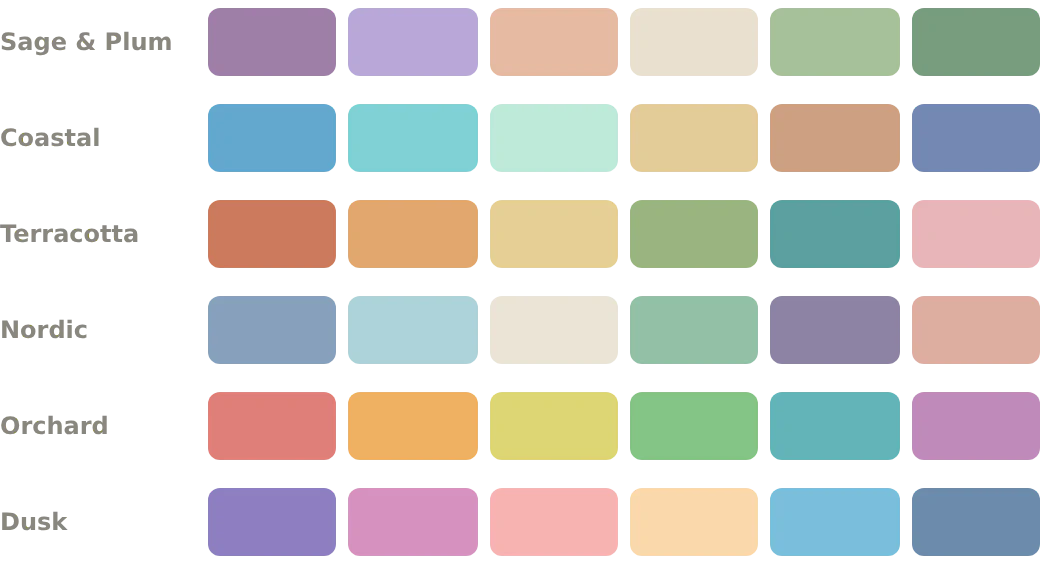
Need ideas? These six palettes with hex codes all use dark text and look the same in both modes. To add a color to Google Calendar, see how to use custom event colors.
Can I add a dark background picture?
Not with Google alone. Google Calendar has no setting for a background picture. CalHue, an extension for Chrome, adds one for free.
- Veil lays a see-through layer over your picture. In dark mode, the veil is dark, so the picture stays dim behind your events.
- Blur makes the picture soft.
- Grid lines lets you pick a color for the thin lines between days and hours.
Night skies, the sea at dusk, or a dark wall work well. See how to change your Google Calendar background.
What does CalHue add for dark mode?
| Feature | Free or Pro |
|---|---|
| Background, veil, blur, grid lines | Free |
| Six ready-made palettes | Free |
| See colors made from your picture | Free |
| Save those colors as a palette | Pro |
| Add a palette to Google as labels | Pro |
The colors CalHue makes from your picture keep event names easy to read in light and dark mode. CalHue Pro is US$9.99, one time.
FAQ
Does dark mode work in Google Calendar in Chrome?
Yes. It is a Google Calendar setting, so it works in any browser.
Why does my dark gray event look light gray?
Dark mode makes very dark colors lighter. Pick a lighter color, or switch to light mode to see the real one.
Does CalHue change my dark mode setting?
No. CalHue follows the mode you pick in Google Calendar.
Does the CalHue background show on my phone?
No. It shows only in Chrome on the computer where you added CalHue.
Keep reading
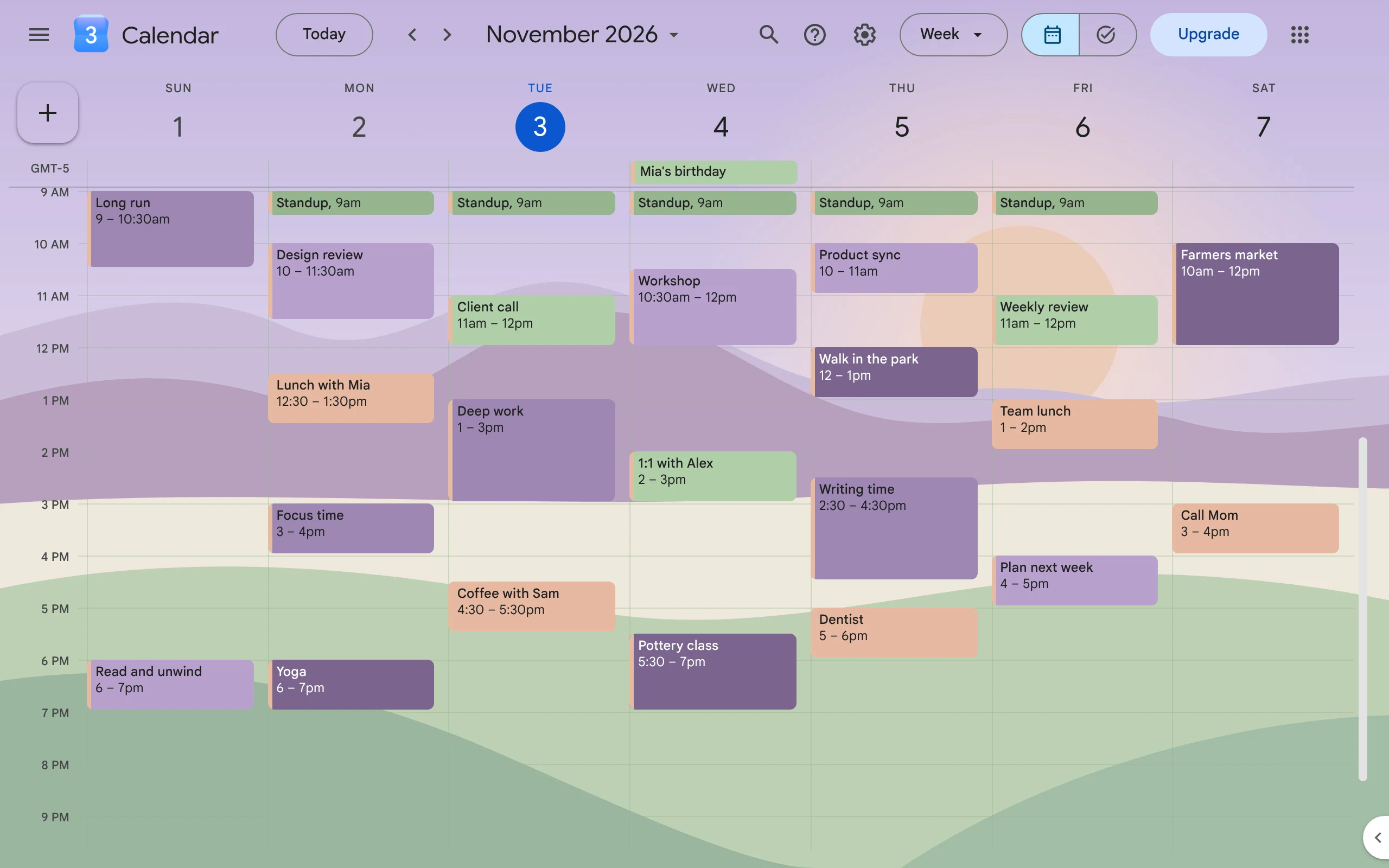
How to Make Google Calendar Aesthetic
Pick a few soft colors that go together, give each one a job, and add a background picture. Google does the colors; a free Chrome extension adds the picture.
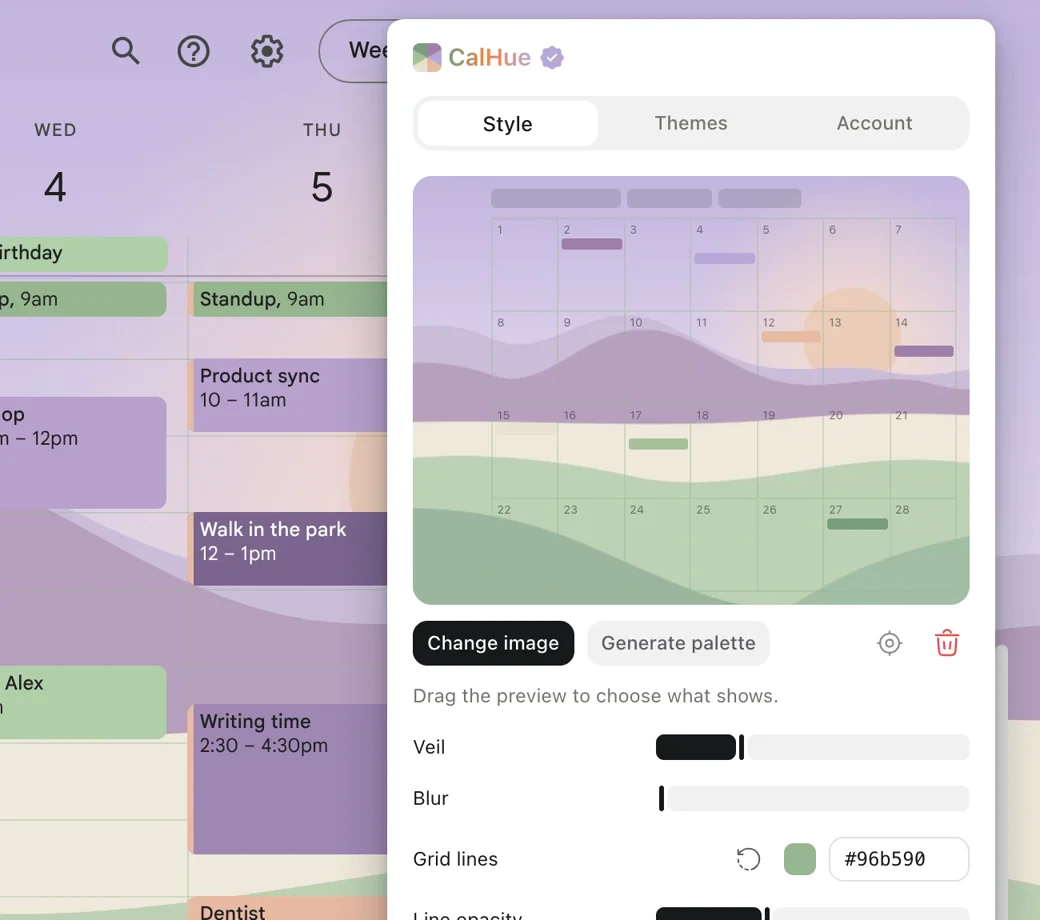
How to Change Your Google Calendar Background
Google Calendar has no setting for a background picture. This guide shows how to add your own picture with CalHue, a free extension for Chrome.
Google Calendar Color Palettes with Hex Codes
Six sets of colors for Google Calendar, with hex codes you can copy. Each color keeps event names easy to read, in light and dark themes.