Google Calendar Color Palettes with Hex Codes
Six sets of colors for Google Calendar, with hex codes you can copy. Each color keeps event names easy to read, in light and dark themes.
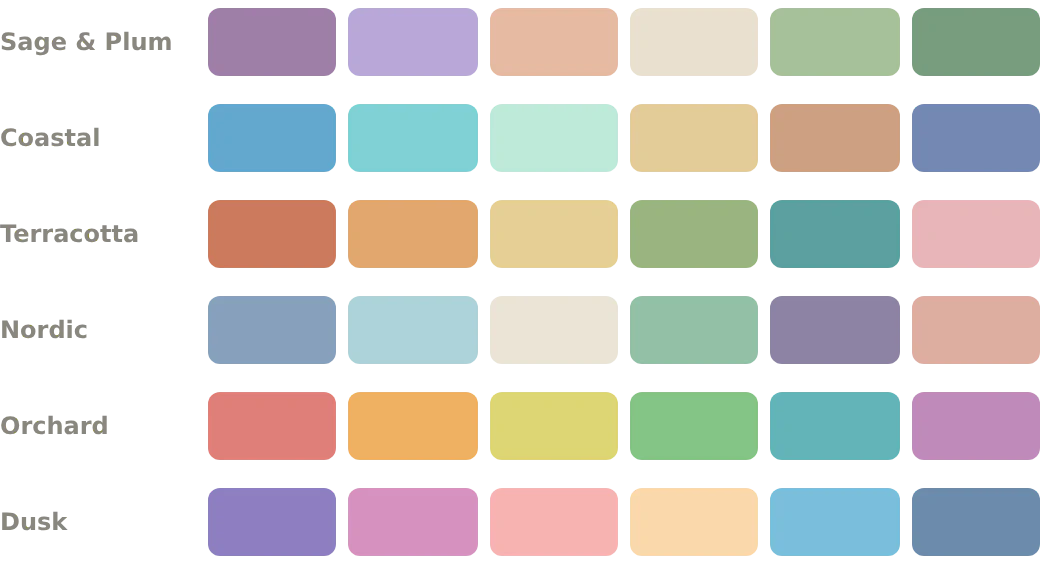
In Google Calendar, you can give an event any color you like. You do it with a label: a color with a name. Below are six sets of colors, called palettes. They come with CalHue, an extension for Chrome.
Add a color by hand
- Right-click an event in Google Calendar. Click the pencil after the colors. It is called Edit labels.
- Click Add label (+).
- Paste a hex code from below, such as #9f7fa7, and click Select.
- Give the label a name, such as Sag Mauve. Do this for each color you want.
- Click Save.
Now right-click any event in that calendar and pick your new color.
Each calendar has its own labels. To use a color in another calendar, add it there too.
Not sure which color to use for what? See how to make Google Calendar aesthetic.
Add a whole palette at once
With CalHue Pro, pick a palette and a calendar. CalHue adds all six colors as labels for you, with the names below. It never changes your other labels or your events.
You can also use these palettes for free to color a whole calendar: open the ⋮ menu next to the calendar in Google Calendar’s sidebar, and pick a color.
Sage & Plum
Soft purples, peach, cream and two greens.
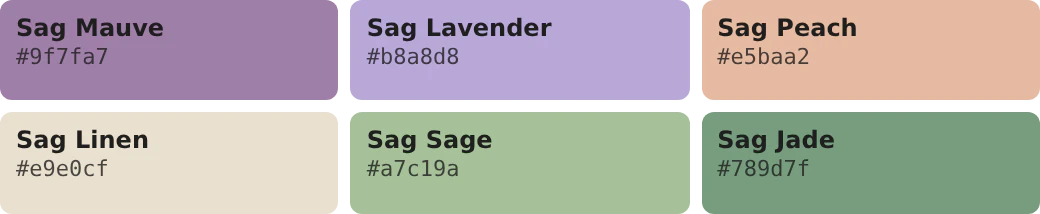
| Label | Hex |
|---|---|
| Sag Mauve | |
| Sag Lavender | |
| Sag Peach | |
| Sag Linen | |
| Sag Sage | |
| Sag Jade |
Coastal
Sea blues and greens, with sand.
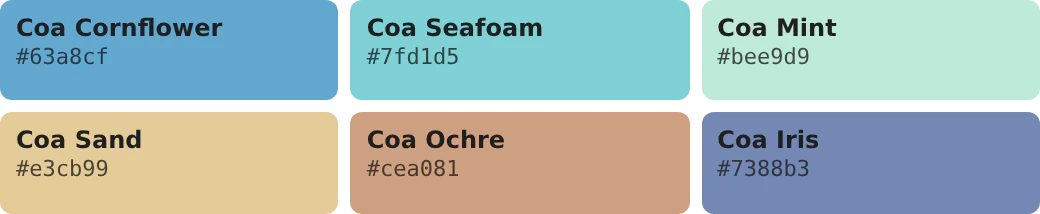
| Label | Hex |
|---|---|
| Coa Cornflower | |
| Coa Seafoam | |
| Coa Mint | |
| Coa Sand | |
| Coa Ochre | |
| Coa Iris |
Terracotta
Warm earth colors, with two greens.
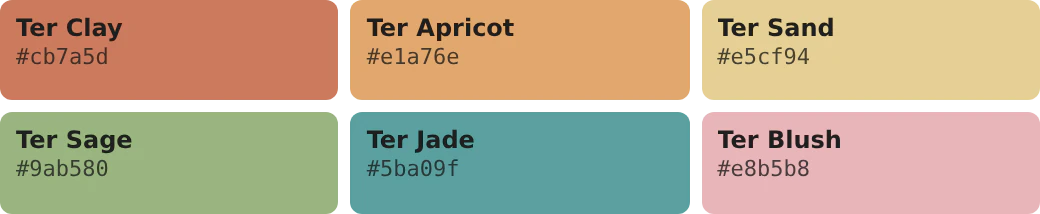
| Label | Hex |
|---|---|
| Ter Clay | |
| Ter Apricot | |
| Ter Sand | |
| Ter Sage | |
| Ter Jade | |
| Ter Blush |
Nordic
Quiet blues and greens, with cream and a dusty pink.
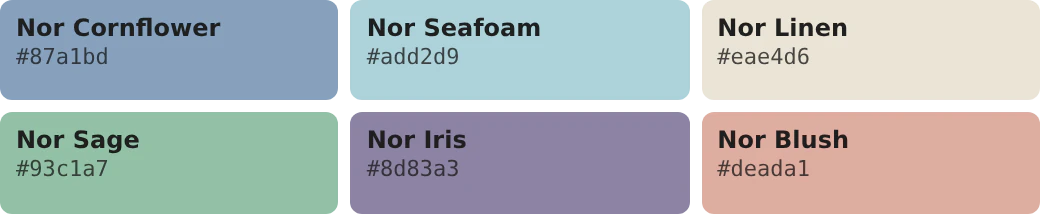
| Label | Hex |
|---|---|
| Nor Cornflower | |
| Nor Seafoam | |
| Nor Linen | |
| Nor Sage | |
| Nor Iris | |
| Nor Blush |
Orchard
Bright fruit colors.
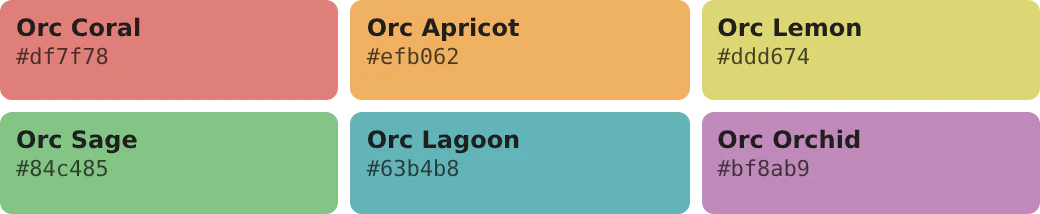
| Label | Hex |
|---|---|
| Orc Coral | |
| Orc Apricot | |
| Orc Lemon | |
| Orc Sage | |
| Orc Lagoon | |
| Orc Orchid |
Dusk
Sunset purples and pinks, with two blues.
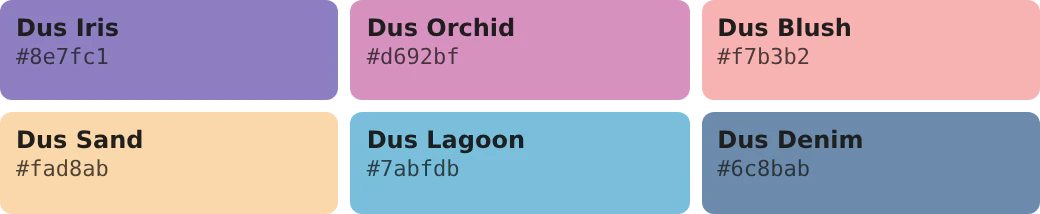
| Label | Hex |
|---|---|
| Dus Iris | |
| Dus Orchid | |
| Dus Blush | |
| Dus Sand | |
| Dus Lagoon | |
| Dus Denim |
Easy to read in light and dark themes
Google picks the text color on an event by itself. We tested how it picks. On all of these colors, it uses dark text, so event names stay easy to read.
Google’s dark theme makes very dark colors lighter. These colors are not dark enough for that, so they look the same in both themes.
Make colors from your own picture
CalHue can also make six colors from your Google Calendar background picture. The colors go with the picture and keep event names easy to read. Seeing them is free. With Pro, you can save them and add them to Google Calendar, like the palettes above.
Good to know
- Each calendar can have up to 200 labels. The 24 colors Google gives every calendar count too.
- Calendars you can only view, like holidays, can’t have labels.
- Labels are saved in your Google account. You and the people who can edit that calendar can see them.
- Labels color one event at a time. The ⋮ menu in the sidebar colors the whole calendar.
Keep reading
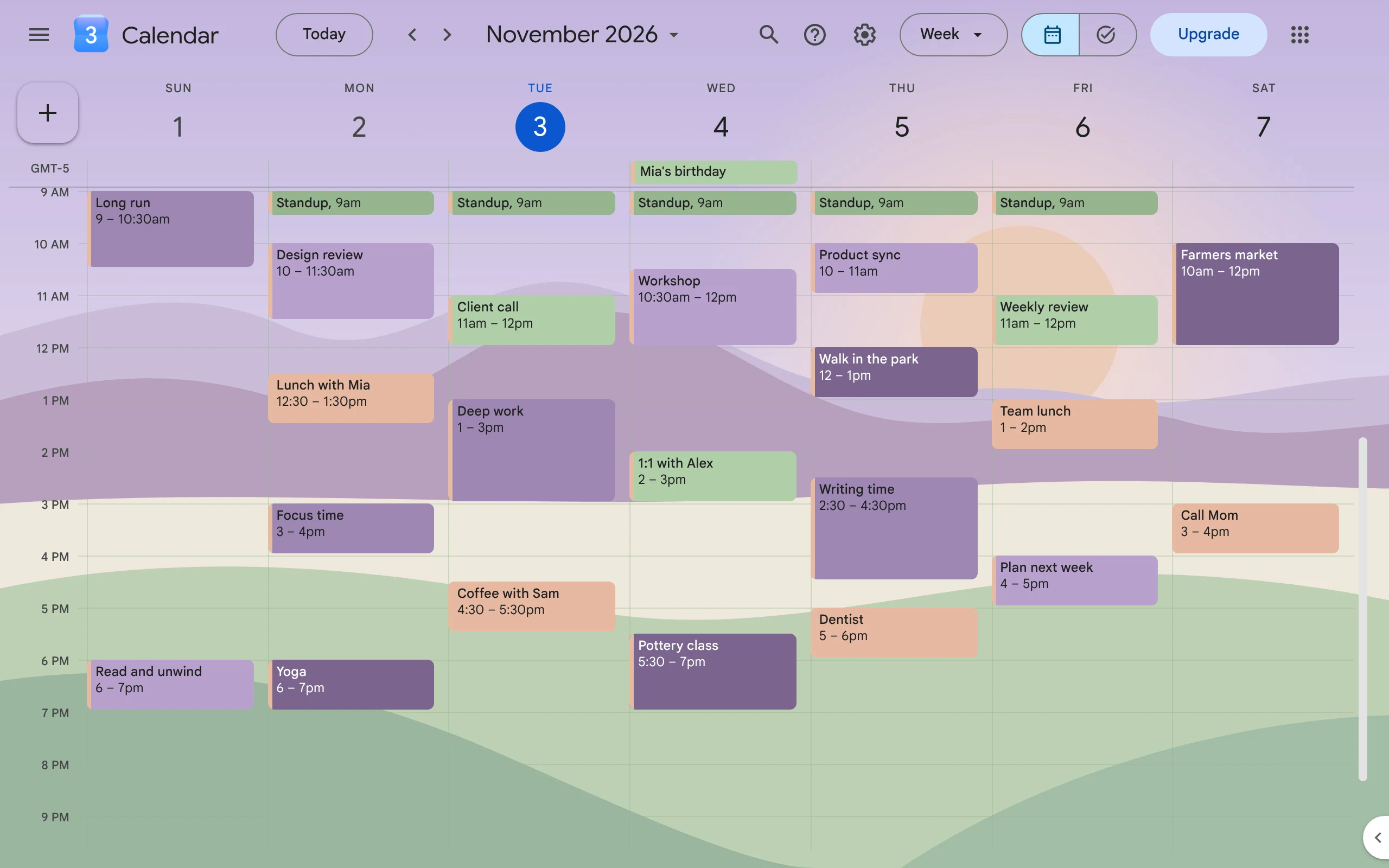
How to Make Google Calendar Aesthetic
Pick a few soft colors that go together, give each one a job, and add a background picture. Google does the colors; a free Chrome extension adds the picture.
Does Google Calendar Have a Dark Mode?
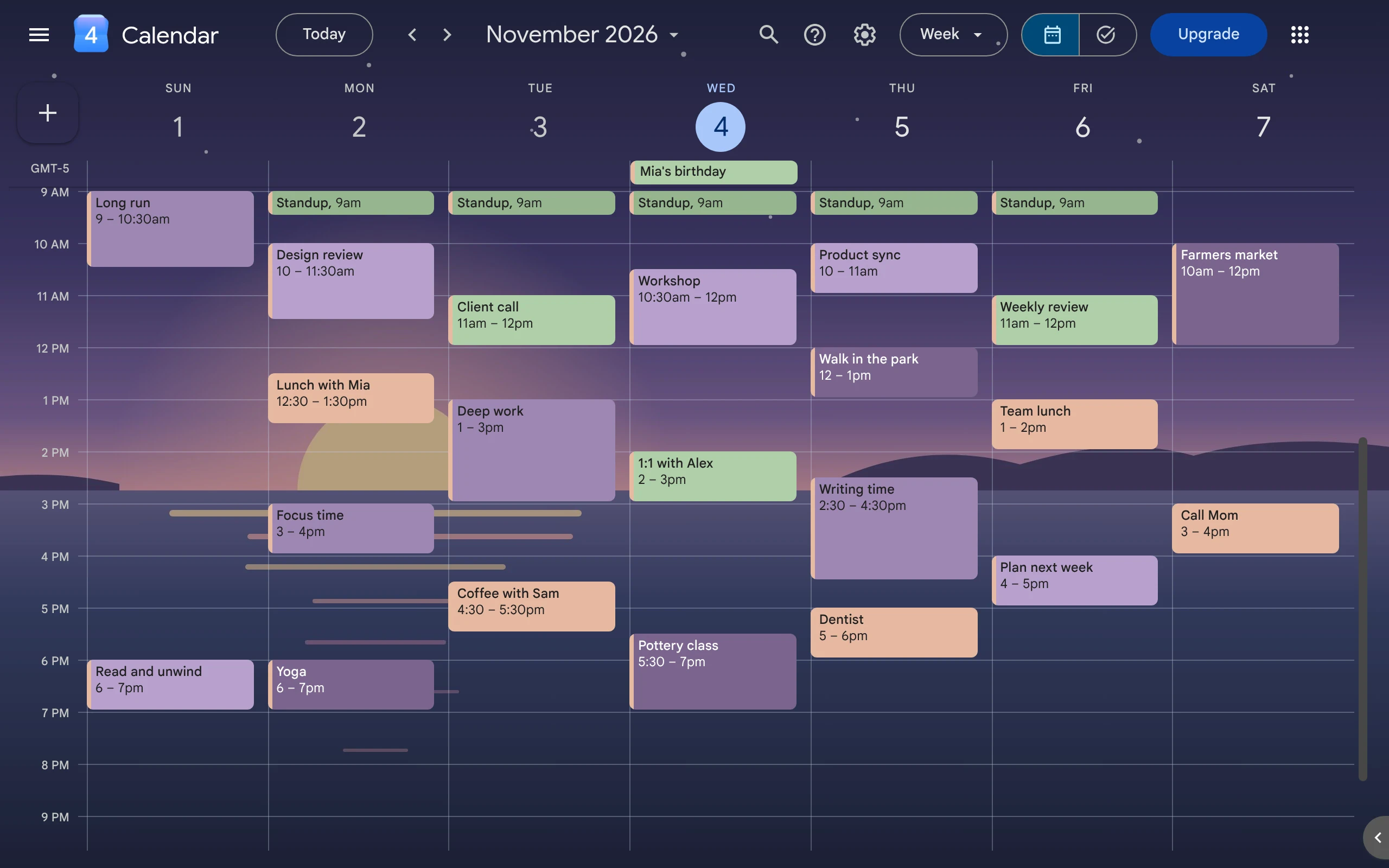
Yes. Google Calendar on the web has a dark mode. Turn it on in Appearance, then use soft, light event colors so your events stay easy to read.
How to Change Your Google Calendar Background
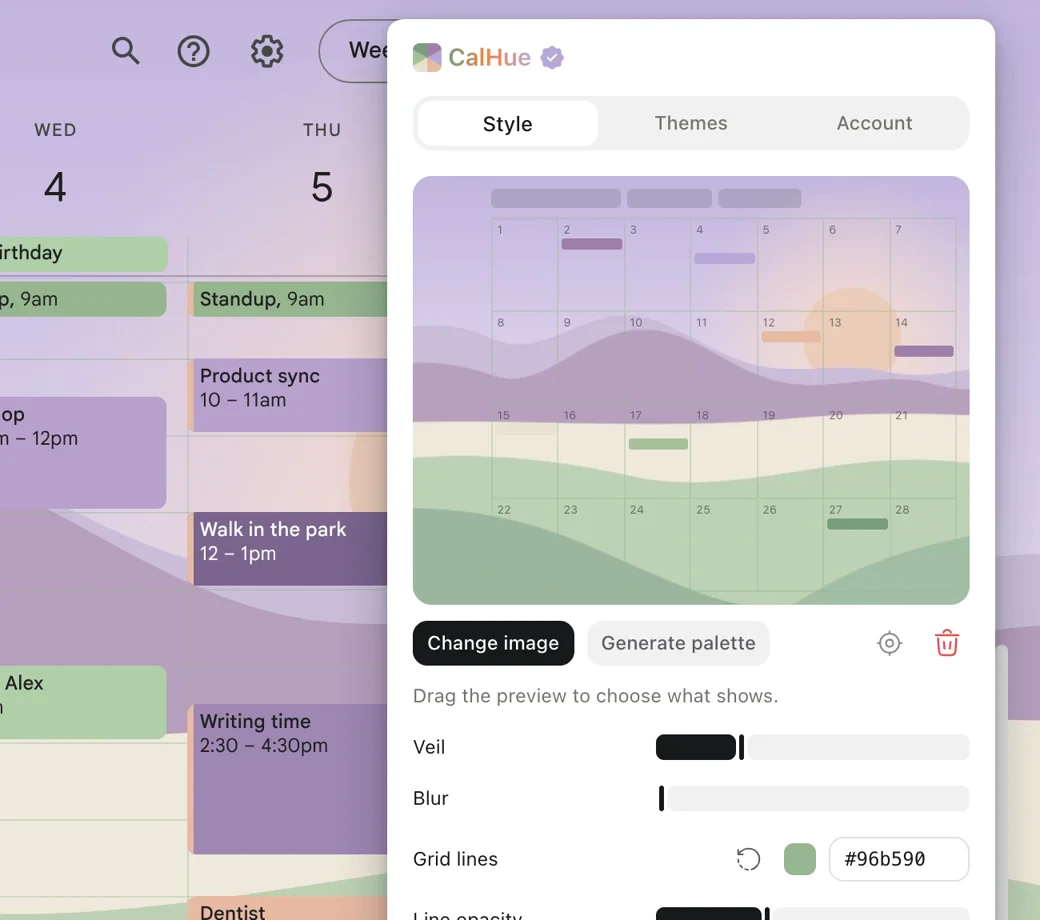
Google Calendar has no setting for a background picture. This guide shows how to add your own picture with CalHue, a free extension for Chrome.